Oracle Support Sanctions Manually Created SQL Profiles!

I originally titled this post: “SQLT – coe_xfr_sql_profile.sql”

Catchy title huh? – (that’s why I changed it)

I’ve been promoting the use of SQL Profiles as a plan control mechanism for some time. The basic idea is to use the undocumented procedure dbms_sqltune.import_sql_profile to build a set of hints to be applied behind the scenes via a SQL Profile. The hints can be created anyway can think of, but one of my favorite ways to generate them is to pull the hints from the other_xml field of v$sql_plan. This is a technique suggested to me originally by Randolf Geist. I have used this approach several times in the past but occasionally I’ve had a few doubts as to whether this is a good idea or even if SQL Profiles can apply all valid hints (see Jonathan Lewis’s comments on this post, Why Oracle Isn’t Using My Profile, where he expresses some doubts as well – he’s also written a bit about SQL Profiles on his site as you might imagine).

So anyway, I just found out this week that there is a script published on Oracle’s Support site that does exactly the same thing. It’s part of the SQLT zip file published in note 215187.1. By the way, SQLT has quite a bit of interesting information in it and the source (PL/SQL) is not wrapped, so it’s worth having a look at. There’s not much in the way of information about it out there, although I did see a reference to it in a comment on one of Jonathan’s recent posts. Maybe I’ll get around to doing another post on that topic some other time. Anyway, the name of the SQL Profile building script is coe_xfr_sql_profile.sql. It basically pulls the hints from the other_xml field of v$sql_plan and turns them into a SQL Profile. So I’m feeling better about myself now that I know that this approach is at least in some way sanctioned by Oracle support.

Here’s an example:


SYS@LAB112> @fs
Enter value for sql_text: %skew%
Enter value for sql_id: 

SQL_ID         CHILD  PLAN_HASH      EXECS     AVG_ETIME      AVG_LIO SQL_TEXT
------------- ------ ---------- ---------- ------------- ------------ ------------------------------------------------------------
688rj6tv1bav0      0  568322376          1          6.78      163,077 select avg(pk_col) from kso.skew where col1 = 1
abwg9nwg8prsj      0 3723858078          1           .01           39 select avg(pk_col) from kso.skew where col1 = 136135

2 rows selected.

SYS@LAB112> @sql_hints
Enter value for sql_id: abwg9nwg8prsj
Enter value for child_no: 0

OUTLINE_HINTS
-----------------------------------------------------------------------------------------------------------------------------------------------------------
IGNORE_OPTIM_EMBEDDED_HINTS
OPTIMIZER_FEATURES_ENABLE('11.2.0.1')
DB_VERSION('11.2.0.1')
ALL_ROWS
OUTLINE_LEAF(@"SEL$1")
INDEX_RS_ASC(@"SEL$1" "SKEW"@"SEL$1" ("SKEW"."COL1"))

6 rows selected.

SYS@LAB112> @coe_xfr_sql_profile    

Parameter 1:
SQL_ID (required)

Enter value for 1: abwg9nwg8prsj          


PLAN_HASH_VALUE AVG_ET_SECS
--------------- -----------
     3723858078        .006

Parameter 2:
PLAN_HASH_VALUE (required)

Enter value for 2: 3723858078

Values passed:
~~~~~~~~~~~~~
SQL_ID         : "abwg9nwg8prsj"
PLAN_HASH_VALUE: "3723858078"


Execute coe_xfr_sql_profile_abwg9nwg8prsj_3723858078.sql
on TARGET system in order to create a custom SQL Profile
with plan 3723858078 linked to adjusted sql_text.


COE_XFR_SQL_PROFILE completed.
SQL>@coe_xfr_sql_profile_abwg9nwg8prsj_3723858078.sql
SQL>REM
SQL>REM $Header: 215187.1 coe_xfr_sql_profile_abwg9nwg8prsj_3723858078.sql 11.4.1.4 2010/07/23 csierra $
SQL>REM
SQL>REM Copyright (c) 2000-2010, Oracle Corporation. All rights reserved.
SQL>REM
SQL>REM AUTHOR
SQL>REM   carlos.sierra@oracle.com
SQL>REM
SQL>REM SCRIPT
SQL>REM   coe_xfr_sql_profile_abwg9nwg8prsj_3723858078.sql
SQL>REM
SQL>REM DESCRIPTION
SQL>REM   This script is generated by coe_xfr_sql_profile.sql
SQL>REM   It contains the SQL*Plus commands to create a custom
SQL>REM   SQL Profile for SQL_ID abwg9nwg8prsj based on plan hash
SQL>REM   value 3723858078.
SQL>REM   The custom SQL Profile to be created by this script
SQL>REM   will affect plans for SQL commands with signature
SQL>REM   matching the one for SQL Text below.
SQL>REM   Review SQL Text and adjust accordingly.
SQL>REM
SQL>REM PARAMETERS
SQL>REM   None.
SQL>REM
SQL>REM EXAMPLE
SQL>REM   SQL> START coe_xfr_sql_profile_abwg9nwg8prsj_3723858078.sql;
SQL>REM
SQL>REM NOTES
SQL>REM   1. Should be run as SYSTEM or SYSDBA.
SQL>REM   2. User must have CREATE ANY SQL PROFILE privilege.
SQL>REM   3. SOURCE and TARGET systems can be the same or similar.
SQL>REM   4. To drop this custom SQL Profile after it has been created:
SQL>REM  EXEC DBMS_SQLTUNE.DROP_SQL_PROFILE('coe_abwg9nwg8prsj_3723858078');
SQL>REM   5. Be aware that using DBMS_SQLTUNE requires a license
SQL>REM  for the Oracle Tuning Pack.
SQL>REM
SQL>WHENEVER SQLERROR EXIT SQL.SQLCODE;
SQL>REM
SQL>VAR signature NUMBER;
SQL>REM
SQL>DECLARE
  2  sql_txt CLOB;
  3  h       SYS.SQLPROF_ATTR;
  4  BEGIN
  5  sql_txt := q'[
  6  select avg(pk_col) from kso.skew where col1 = 136135
  7  ]';
  8  h := SYS.SQLPROF_ATTR(
  9  q'[BEGIN_OUTLINE_DATA]',
 10  q'[IGNORE_OPTIM_EMBEDDED_HINTS]',
 11  q'[OPTIMIZER_FEATURES_ENABLE('11.2.0.1')]',
 12  q'[DB_VERSION('11.2.0.1')]',
 13  q'[ALL_ROWS]',
 14  q'[OUTLINE_LEAF(@"SEL$1")]',
 15  q'[INDEX_RS_ASC(@"SEL$1" "SKEW"@"SEL$1" ("SKEW"."COL1"))]',
 16  q'[END_OUTLINE_DATA]');
 17  :signature := DBMS_SQLTUNE.SQLTEXT_TO_SIGNATURE(sql_txt);
 18  DBMS_SQLTUNE.IMPORT_SQL_PROFILE (
 19  sql_text    => sql_txt,
 20  profile     => h,
 21  name        => 'coe_abwg9nwg8prsj_3723858078',
 22  description => 'coe abwg9nwg8prsj 3723858078 '||:signature||'',
 23  category    => 'DEFAULT',
 24  validate    => TRUE,
 25  replace     => TRUE,
 26  force_match => FALSE /* TRUE:FORCE (match even when different literals in SQL). FALSE:EXACT (similar to CURSOR_SHARING) */ );
 27  END;
 28  /

PL/SQL procedure successfully completed.

SQL>WHENEVER SQLERROR CONTINUE
SQL>SET ECHO OFF;

            SIGNATURE
---------------------
 15022055147995020558


... manual custom SQL Profile has been created


COE_XFR_SQL_PROFILE_abwg9nwg8prsj_3723858078 completed

SYS@LAB112> @sql_profiles
Enter value for sql_text: 
Enter value for name: 

NAME                           CATEGORY        STATUS   SQL_TEXT                                                               FORCE
------------------------------ --------------- -------- ---------------------------------------------------------------------- -----
PROFILE_fgn6qzrvrjgnz          DEFAULT         DISABLED select /*+ index(a SKEW_COL1) */ avg(pk_col) from kso.skew a           NO
PROFILE_8hjn3vxrykmpf          DEFAULT         DISABLED select /*+ invalid_hint (doda) */ avg(pk_col) from kso.skew where col1 NO
PROFILE_69k5bhm12sz98          DEFAULT         DISABLED SELECT dbin.instance_number,        dbin.db_name, dbin.instance_name,  NO
PROFILE_8js5bhfc668rp          DEFAULT         DISABLED select /*+ index(a SKEW_COL2_COL1) */ avg(pk_col) from kso.skew a wher NO
PROFILE_bxd77v75nynd8          DEFAULT         DISABLED select /*+ parallel (a 4) */ avg(pk_col) from kso.skew a where col1 >  NO
PROFILE_7ng34ruy5awxq          DEFAULT         DISABLED select i.obj#,i.ts#,i.file#,i.block#,i.intcols,i.type#,i.flags,i.prope NO
SYS_SQLPROF_0126f1743c7d0005   SAVED           ENABLED  select avg(pk_col) from kso.skew                                       NO
PROF_6kymwy3guu5uq_1388734953  DEFAULT         ENABLED  select 1                                                               YES
PROFILE_cnpx9s9na938m_MANUAL   DEFAULT         ENABLED  select /*+ opt_param('statistics_level','all') */ * from kso.skew wher NO
PROF_79m8gs9wz3ndj_3723858078  DEFAULT         ENABLED  /* SQL Analyze(252,1) */ select avg(pk_col) from kso.skew              NO
PROFILE_9ywuaagwscbj7_GPS      DEFAULT         ENABLED  select avg(pk_col) from kso.skew                                       NO
PROF_arcvrg5na75sw_3723858078  DEFAULT         ENABLED  select /*+ index(skew@sel$1 skew_col1) */ avg(pk_col) from kso.skew wh NO
SYS_SQLPROF_01274114fc2b0006   DEFAULT         ENABLED  select i.table_owner, i.table_name, i.index_name, FUNCIDX_STATUS, colu NO
SYS_SQLPROF_0127d10ffaa60000   DEFAULT         ENABLED  select table_owner||'.'||table_name tname , index_name, index_type, st NO
SYS_SQLPROF_01281e513ace0000   DEFAULT         ENABLED  SELECT TASK_LIST.TASK_ID FROM (SELECT /*+ NO_MERGE(T) ORDERED */ T.TAS NO
PROFILE_5bgcrdwfhbc83_EXACT    DEFAULT         ENABLED  select avg(pk_col) from kso.skew where col1 = :"SYS_B_0"               YES
coe_abwg9nwg8prsj_3723858078   DEFAULT         ENABLED                                                                         NO

17 rows selected.

SYS@LAB112> -- that's interesting - looks like the sql_text has gotten wiped out
SYS@LAB112> -- let's see if it works anyway
SYS@LAB112> 
SYS@LAB112> select avg(pk_col) from kso.skew where col1 = 136135;

AVG(PK_COL)
-----------
   15636135

SYS@LAB112> @fs
Enter value for sql_text: select avg(pk_col) from kso.skew where col1 = 136135
Enter value for sql_id: 

SQL_ID         CHILD  PLAN_HASH      EXECS     AVG_ETIME      AVG_LIO SQL_TEXT
------------- ------ ---------- ---------- ------------- ------------ ------------------------------------------------------------
abwg9nwg8prsj      0 3723858078          1           .02           47 select avg(pk_col) from kso.skew where col1 = 136135

1 row selected.

SYS@LAB112> @dplan
Enter value for sql_id: abwg9nwg8prsj
Enter value for child_no: 

PLAN_TABLE_OUTPUT
------------------------------------------------------------------------------------------------------------------------------------------------------
SQL_ID  abwg9nwg8prsj, child number 0
-------------------------------------
select avg(pk_col) from kso.skew where col1 = 136135

Plan hash value: 3723858078

------------------------------------------------------------------------------------------
| Id  | Operation                    | Name      | Rows  | Bytes | Cost (%CPU)| Time     |
------------------------------------------------------------------------------------------
|   0 | SELECT STATEMENT             |           |       |       |    32 (100)|          |
|   1 |  SORT AGGREGATE              |           |     1 |    24 |            |          |
|   2 |   TABLE ACCESS BY INDEX ROWID| SKEW      |    32 |   768 |    32   (0)| 00:00:01 |
|*  3 |    INDEX RANGE SCAN          | SKEW_COL1 |    32 |       |     3   (0)| 00:00:01 |
------------------------------------------------------------------------------------------

Predicate Information (identified by operation id):
---------------------------------------------------

   3 - access("COL1"=136135)

Note
-----
   - SQL profile coe_abwg9nwg8prsj_3723858078 used for this statement


24 rows selected.

So it is very similar to my create_sql_profile.sql script. The Oracle COE script does have the advantage of creating an output script that can be run to create the SQL Profile. That means you have a chance to edit the hints before creating the SQL Profile. It also means you can easily move a SQL Profile from one environment (TEST for example) to another (PROD for example).

But the best thing about it is that I no longer have to be concerned about using an undocumented procedure to do something that it may not have been intended to do in the first place!
Writing Some Chapters in a Book

My friend Karen Morton asked if I would be willing to contribute to a book that she is working on (i.e. write a few chapters). Of course I said yes. The book’s title is Pro Oracle SQL and it is to be published by Apress sometime before the end of the year (my first deadline is fast approaching).

Karen is the lead author, but there are also several co-authors involved in this project, all of whom I have a lot of respect for. Here’s the List (in alphabetical order by last name):

Robyn Sands
Riyaj Shamsudeen
Jared Still

If you’re reading this you are probably already familiar with Apress. They have published a number of Oracle books by notable authors including Tom Kyte, Jonathan Lewis and Chris Antognini. They have also published a few collaborations by members of the Oak Table Network. So I am happy to be joining that illustrious group.  Anyway, I am particularly excited about getting to write the chapter on Plan Stability and Control which is a subject near and dear to my heart. So I’ll get to drone on about Outlines, Profiles, and Baselines – among other things. You can pre-order the book from Amazon. ;)

Exadata and Parallel Queuing

Over the years Oracle has added many enhancements in order to allow individual SQL statements to take full advantage of multiprocessor computers. A few months ago Cary Millsap did a talk where he recalled the presentation Larry Ellison did when Oracle first announced the Parallel Query feature. During Larry’s demo he had a multiprocessor computer all to himself. I don’t remember how many processors it had, but I remember he had some kind of graphic showing individual CPU utilization on one screen while he fired up a parallel query on another screen. The monitoring screen lit up like a Christmas tree. Every one of the CPU’s was pegged during his demo. When Cary was telling the story he said that he had wondered at the time what would have happened if there had been other users on the system during the demo. Their experience would probably not have been a good one. I remember having the exact same thought.

Oracle’s parallel capabilities have been a great gift but they have also been a curse because controlling the beast in an environment where there are multiple users trying to share the resources is pretty difficult. There have been many attempts at coming up with a reasonable way of throttling big parallel statements along the way. But to date, I think this technology has only been used effectively in batch processing environments and large data warehouses where consuming the whole machine’s resources is acceptable due to the relatively low degree of concurrency required by those environments.

So why did I mention Exadata in the title of this post? Well I believe that one of the most promising aspects of Exadata is it’s potential with regard to running mixed work loads (OLTP and DW) on the same database, without crippling one or the other. In order to do that, Oracle needs some mechanism to separate the workloads. Resource Manager is an option in this area, but it doesn’t go far enough in controlling throughput on parallel queries. This new queuing mechanism should be a great help in that regard. So let’s review the options:

Parallel Adaptive Multi User (the old way)
This ability to automatically downgrade the degree of parallelism based on what’s happening on the system when a query kicks off is actually a powerful mechanism and is the best approach we’ve had prior to 11g Release 2. The downside of this approach is that parallelized statements can have wildly varying execution times. As you can imagine, a statement that gets 32 slaves one time and then gets downgraded to serial execution the next time will probably not make the user very happy. The argument for this type of approach is that stuff is going to run slower if the system is busy regardless of what you do. And that users expect it to run slower when the system is busy. The first part of that statement may be true but I don’t believe the second part is (at least in most cases). The bigger problem with the downgrade mechanism though is that the the decision about how many slaves to use is based on a single point in time (the point when the parallel statement starts). And once the degree of parallelism (DOP) is set for a statement it can not be changed. That execution of the statement will run with the number of slaves it got to start with, even if additional resources become available. So consider the statement that takes a minute with 32 slaves that gets downgraded to serial due to a momentarily high load. And say that 10 seconds after it starts the system load drops back to more normal levels. Unfortunately, the serialized statement will continue to run for nearly 30 minutes with it’s single process, even though on average the system is not busier than usual.

Parallel Queuing (the new way)
Now let’s compare that with the new mechanism introduced in 11gR2 that allows parallel statements to be queued in a First In – First Out fashion. This mechanism separates (presumably) long running parallel queries from the rest of the workload. The mechanics are pretty simple. Turn the feature on. Set a target number of parallel slaves (parallel_servers_target). Run stuff. If a statement tries to start that requires exceeding the target, it will be queued until the required number of slaves become available.

The Parallel Queuing feature is controlled by a hidden parameter called “_parallel_statement_queuing”. A value of TRUE turns it on and FALSE turns it off. FALSE is the default by the way. This parameter is not documented but is set automatically when the PARALLEL_DEGREE_POLICY parameter is set to AUTO. Unfortunately, PARALLEL_DEGREE_POLICY is one of those parameters that controls more than one thing. When set to AUTO it also turns on Automatic DOP calculation. This feature calculates a DOP for each statement regardless of whether any objects have been decorated with a parallel setting. The result is that all kinds of statements are run in parallel, even if no objects have been specifically defined with a parallel degree setting. This is truly automatic parallel processing because the database decides what to run in parallel and with how many slaves. On top of that, by default, the slaves may be spread across multiple nodes in a RAC database (this can be disabled by setting PARALLEL_FORCE_LOCAL to TRUE). Finally, AUTO is supposed to enable “In Memory Parallel Query”. This poorly named feature refers to 11gR2’s ability to make use of the SGA for parallel query, as opposed to using direct reads exclusively. Note: I haven’t actually seen this kick in yet, which is probably good, since Exadata Offloading depends on direct reads. I haven’t seen it kick in on non-Exadata databases either though.

Unfortunately this combination of features is a little like the wild west with things running in parallel all over the place. But the ability to queue parallel statements does provide some semblance of order. And to be fair, there are a number of parameters that can be set to control how the calculations are performed. Anyway, here’s a brief synopsis of parameter changes caused by the various settings PARALLEL_DEGREE_POLICY.

Continue reading ‘Exadata and Parallel Queuing’ »

Exadata Offload – The Secret Sauce

The “Secret Sauce” for Exadata is its ability to offload processing to the storage tier. Offloading and Smart Scan are two terms that are used somewhat interchangeably. Offloading is a more generic term that means doing work at the storage tier that would otherwise have to be done on the database tier (this can include work that is not related to executing queries such as optimization of incremental backups). Smart Scans on the other hand are the access mechanism used to offload query processing tasks. For example, storage servers can apply predicate filters at the storage layer, instead of shipping every possible block back to the database server(s). Another thing that happens with Smart Scans is that the volume of data returned can be further reduced by column projection (i.e. if you only select 1 column from a 100 column table, there is no need to return the other 99 columns). Offloading is geared to long running queries that access a large amount of data. Offloading only works if Oracle decides to use its direct path read mechanism. Direct path reads have traditionally been done by parallel query slaves, but can also be done by serial queries. In fact, as of 11g, Oracle has changed the decision making process resulting in more aggressive use of serial direct path reads. I’ve seen this feature described both as “serial direct path reads” and “adaptive direct path reads”.

I’ll digress here a bit to discuss this feature since direct path reads are critical to Exadata Offloading. Direct path reads do not load blocks into Oracle’s buffer cache. Instead, the data is returned directly to the PGA of the process requesting the data. This means that the data does not have to be in Oracle block format. That means no 8K block that is only partially filled, that may only have a record or two that you’re interested in, containing every column including ones you don’t want, and with additional header information – needs to be shipped back up from the storage layer. Instead, a much more compact result set containing only the columns requested and hopefully only the rows you need are returned. As I said, direct path reads are traditionally used by parallel query slaves. They are also used in a few other instances such as LOB access and sorts that spill over into TEMP. So the ability to use direct path reads is very important to the Exadata platform and thus the changes to the make them more attractive in 11g. Here are a few links to info on the subject of serial direct path reads:

  1. Doug Burns has a good post on 11g serial direct path reads.
  2. Alex Fatkulin has a very good post on some of the factors controlling adaptive direct path reads.
  3. There is a note on MOS (793845.1) on changes in 11g in the heuristics to choose between direct path reads or reads through the buffer cache.
  4. You may also find MOS note (50415.1) on misleading nature of “direct path read” wait events of interest.

Also be aware that direct path reads are only available for full scans (tables or indexes). So any statement that uses an index range scan to get to a row in a table via a rowid will not use this mechanism. Also keep in mind that direct path requires extra processing to ensure that all blocks on disk are current – (i.e. an object level check point), so frequently modified tables will suffer some overhead before direct path reads can be initiated.

I must say that I think the changes to the heuristics in 11g may be a little on the aggressive side for non-Exadata platforms (the changes may well be driven by Exadata). And by the way, serial direct path reads are not always faster than the normal reads that go through the buffer cache. Dion Cho has a good post on a performance problem due to serial direct path reads kicking in on one node of an 11g RAC environment (not Exadata). The node doing the direct path reads was running the query much slower than the node using the normal buffer cache reads. He also has a post on turning off serial direct path reads.

But enough about the direct path reads stuff, on to the Offloading. One of the first things I wanted to know when I got my first look at a system running on Exadata was whether a particular query was eligible for offloading and if so, how much of the expected i/o was saved by the feature. So of course I wrote a little script to show me that. Turns out there is plenty of info in V$SQL to see what’s going on. I called the script fsx.sql (short for Find_Sql_eXadata). Here’s a little demo:

Continue reading ‘Exadata Offload – The Secret Sauce’ »

Oracle Exadata Delivery Day

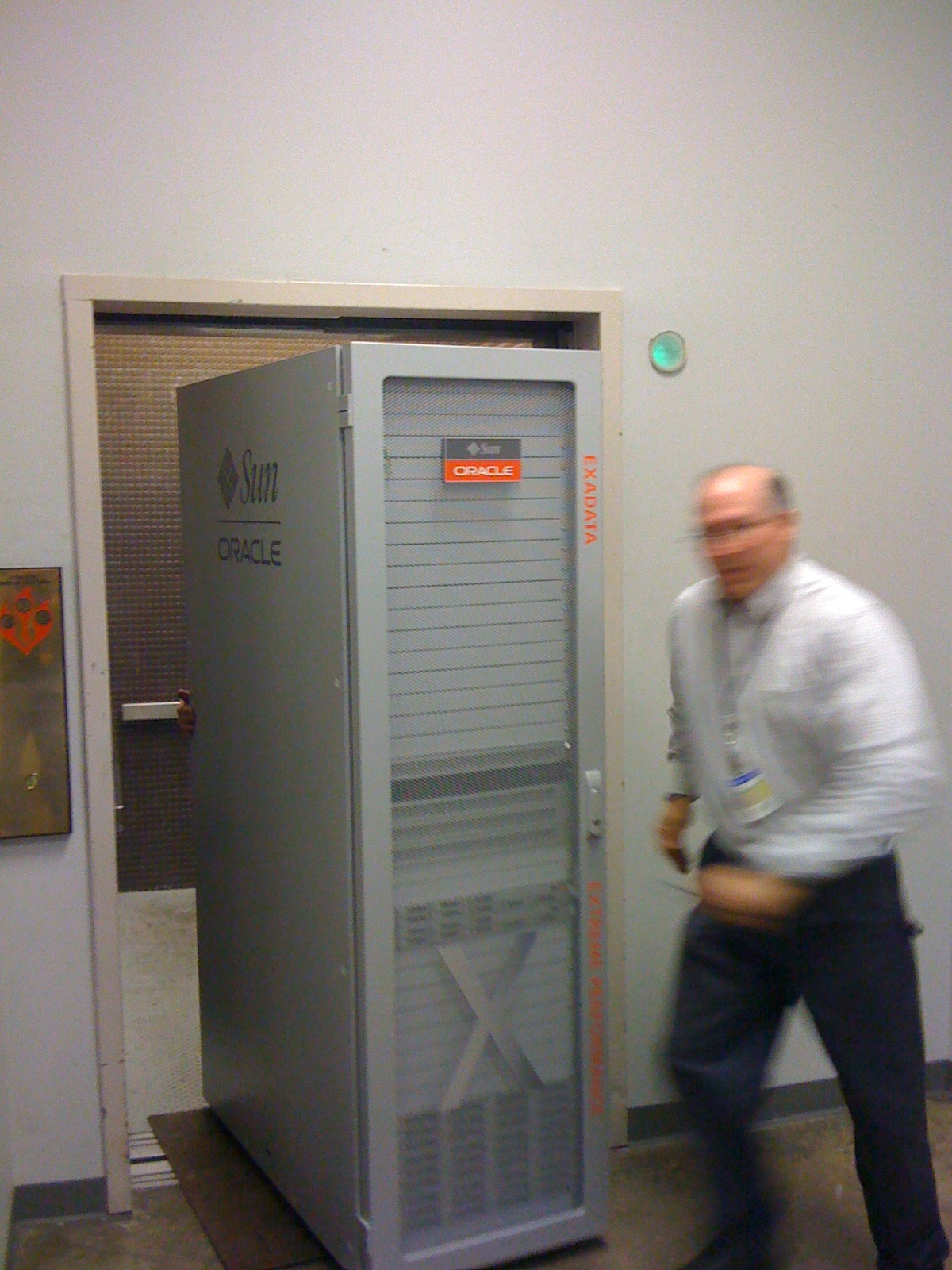
Well our new Exadata showed up this week. We had a pretty nice lab environment already. A bunch of Dell’s, some IBM’s, several Sun’s. We have a couple of EMC Sans as well (we actually threw away a whole EMC rack to make room for the Exadata). And of course we have every version of Oracle from 8i to 11gR2. It’s a good learning environment. It also let’s us try things when clients have a specific set of versions that we want to mimic. So now we have an Exadata V2 as well. We’ve had the delivery date on the calendar for several weeks. For some reason it reminded of the Weird Al Yankovik song Weasel Stomping Day.

It’s probably a sad reflection on how geeky we are that everyone is running around all excited like it’s Christmas or something.

Here’s a few pictures:

It’s a really fast machine by the way. In fact, we had trouble keeping up with it from the moment we got it off the truck.

Really fast, and slippery. Well in a couple of days we can actually turn it on (we’re supposed to let it acclimate to our environment). On Friday afternoon we’re going to have a happy hour to celebrate our newest edition. Wade calls it a sip and see. We’ll probably take a few pictures of ourselves with the little bundle of joy and sing a chorus of a festive Weird Al song, or maybe two. Come on by if you’re in the neighborhood!